
Print size2 × 2 in51 × 51 mm square
Current U.S. format overview
Passport photo requirements
U.S. Passport Photo Requirements: Size, Head Height, and Background
Review the common U.S. passport photo rules, then use the local maker to prepare a digital file or exact-size print sheet. Use the local maker to prepare the crop, digital file, or exact-size print sheet without guessing which rule matters.
✓ Local preview ✓ 300 DPI target ✓ No subscription
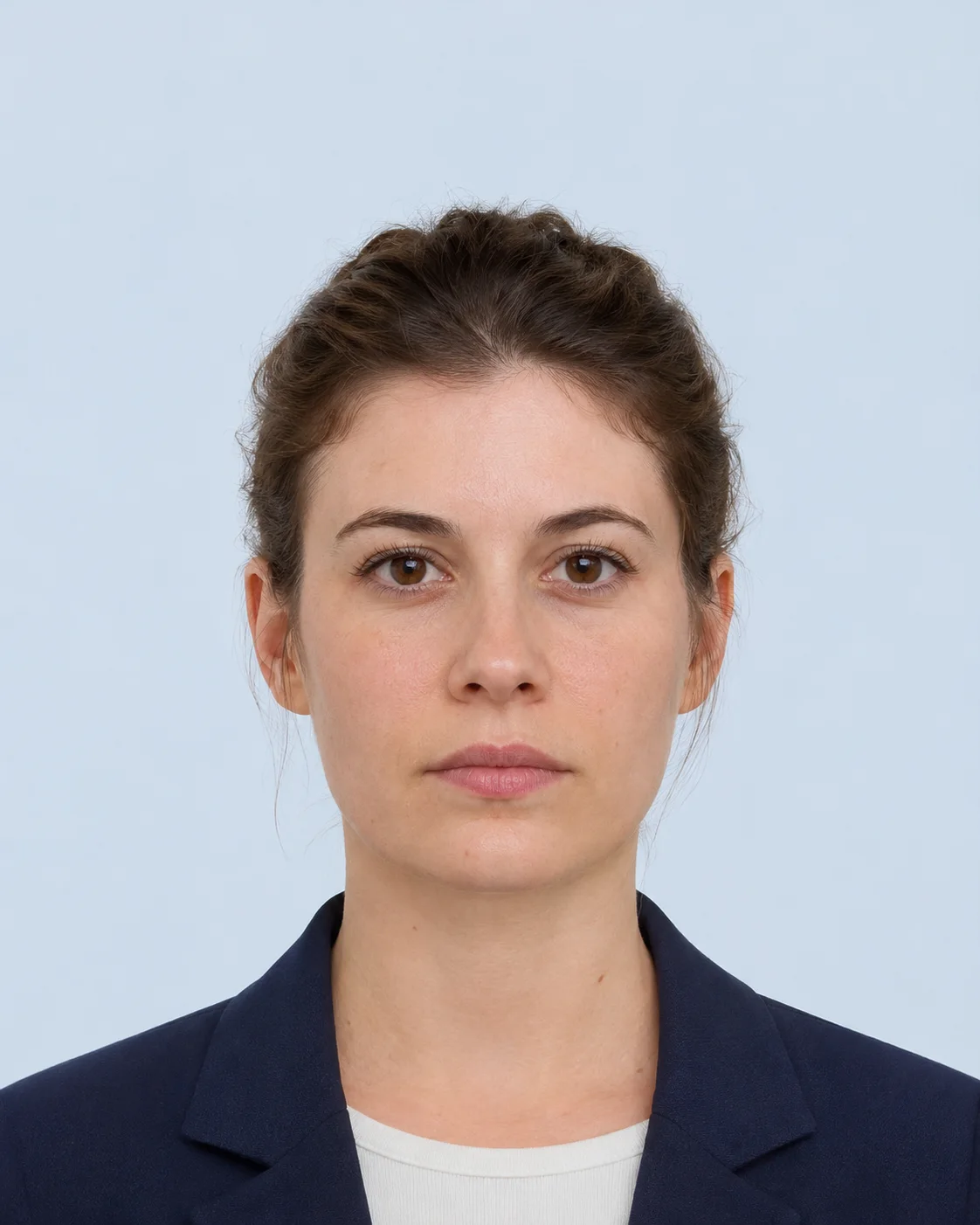 2 × 2 in 1–1⅜ in head height
Selected format U.S. passport photo 51 × 51 mm · 600 × 600 px White or off-white background
Head height1 to 1⅜ inChin to top of head
Digital upload54 KB–10 MBCommon online renewal range
BackgroundWhite / off-whitePlain and evenly lit
What the reviewer checks
The details that matter most
Use these visual checks before export. The receiving authority still makes the final acceptance decision.
Face the camera
Keep your head level, eyes open, and expression neutral or naturally relaxed.
Keep the light even
Avoid hard shadows, glare, color casts, and a busy or textured background.
Use a recent color photo
Use a clear photo taken within the last six months with natural facial appearance.
Do not retouch the face
Skip filters, beauty edits, AI changes, and edits that alter your appearance.
Browser-first workspace
Prepare the image automatically
Upload once. Preview the right format.
The maker applies the U.S. preset, checks the measurable crop, and prepares a digital file or print layout in one flow.
Online renewal may also accept HEIC or HEIF. Convert those files before using this browser preview.
No account required. Preview before final export.
Digital photo600 × 600 px square output.
4×6 print sheetSeveral exact-size copies on one sheet.
Crop guidanceHead position and framing stay visible.
Local checksWarnings help you review before export.
Quick reference
U.S. passport photo checklist
Keep this compact checklist beside the image while you prepare it.
RequirementWhat to prepare
Printed photo sizeExactly 2 × 2 inches / 51 × 51 mm
Head size1 to 1⅜ inches from chin to top of head
BackgroundPlain white or off-white, evenly lit
Photo age and colorColor photo taken within the last 6 months
Pose and expressionFace the camera directly; eyes open; mouth closed
Glasses and editingRemove eyeglasses unless medically required; no filters or face changes
Printed paperMatte or glossy photo-quality paper
Choose the right handoff
Printed application or online renewal?
The appearance rules are similar, but the file and submission details are different.
Printed or mail application
- Output
- Physical printed photo
- Size
- Exactly 2 × 2 inches
- Paper
- Matte or glossy photo-quality paper
Online passport renewal
- Output
- Uploaded digital photo
- File
- JPG, JPEG, PNG, HEIC, or HEIF
- Size
- 54 KB to 10 MB
Verify before submission
The authority has the final word.
Dimensions, pixel conversions, background/editing notes, face-framing guidance, file limits, and print channel are checked against the linked authority guidance when the registry is reviewed. This service prepares a photo and flags measurable risks. The passport office, embassy, visa centre, lottery portal, or other receiving authority makes the final acceptance decision.
U.S. passport photo rulesU.S. Department of State — Passport Photos ↗ U.S. visa and DV digital image requirementsU.S. Department of State — Digital Image Requirements ↗ United Kingdom passport photo guidanceGOV.UK — Passport photos ↗ Canadian passport photo requirementsGovernment of Canada — Passport photos ↗ France and Schengen visa photograph guidanceFrance-Visas — Photograph requirements ↗ Schengen visa policy contextEuropean Commission — Applying for a Schengen visa ↗ Indian passport photograph guidancePassport Seva — ICAO photograph guidelines ↗
Ready when your photo is ready?
Start with the U.S. preset.
Questions before you submit
Passport photo answers, in one clear place.
Use the selected country profile, then confirm the current receiving-authority rule before final upload or printing.
Open requirements guideCan I make a passport photo online without uploading it?
Yes. IDPicMaker prepares the selected image in your browser for this workflow. The source photo is not sent to the IDPicMaker server by the editor.
Is this passport photo maker free to use?
The current browser editor is free to use and does not require an account. Your receiving authority still decides whether the final photo is acceptable.
Which passport and visa photo sizes are supported?
The local registry includes 85 passport country formats and 86 visa formats, including the Schengen 35 × 45 mm regional format. Each entry keeps its document type, channel, dimensions, source links, and limitations together.
Can I print several passport photos on one sheet?
For print-based templates, you can preview a 4R, A4, or US Letter sheet and use the browser print dialog at 100% scale. Check the paper and print rules for your application before submitting.
Does the tool replace the background or retouch my face?
No. The current editor focuses on crop, resize, rotation, and local preparation. It does not claim to approve facial expression, lighting, glasses, shadows, or background compliance.
Will the photo definitely be accepted by a passport or visa office?
No tool can guarantee acceptance. Requirements can change by authority, mission, application channel, and document type, so always open the official source linked on the selected specification page.